Is SteelyNewsPanel really free?
Yes. It is a free license with a key, delivered through Whop — there is nothing to buy: get it free. It is also included in the Complete Suite ($1,800, all 12 paid indicators plus the free SteelyNewsPanel and SteelyStructure — $2,362 bought one at a time).
What happened to SteelyFJNewsPanel?
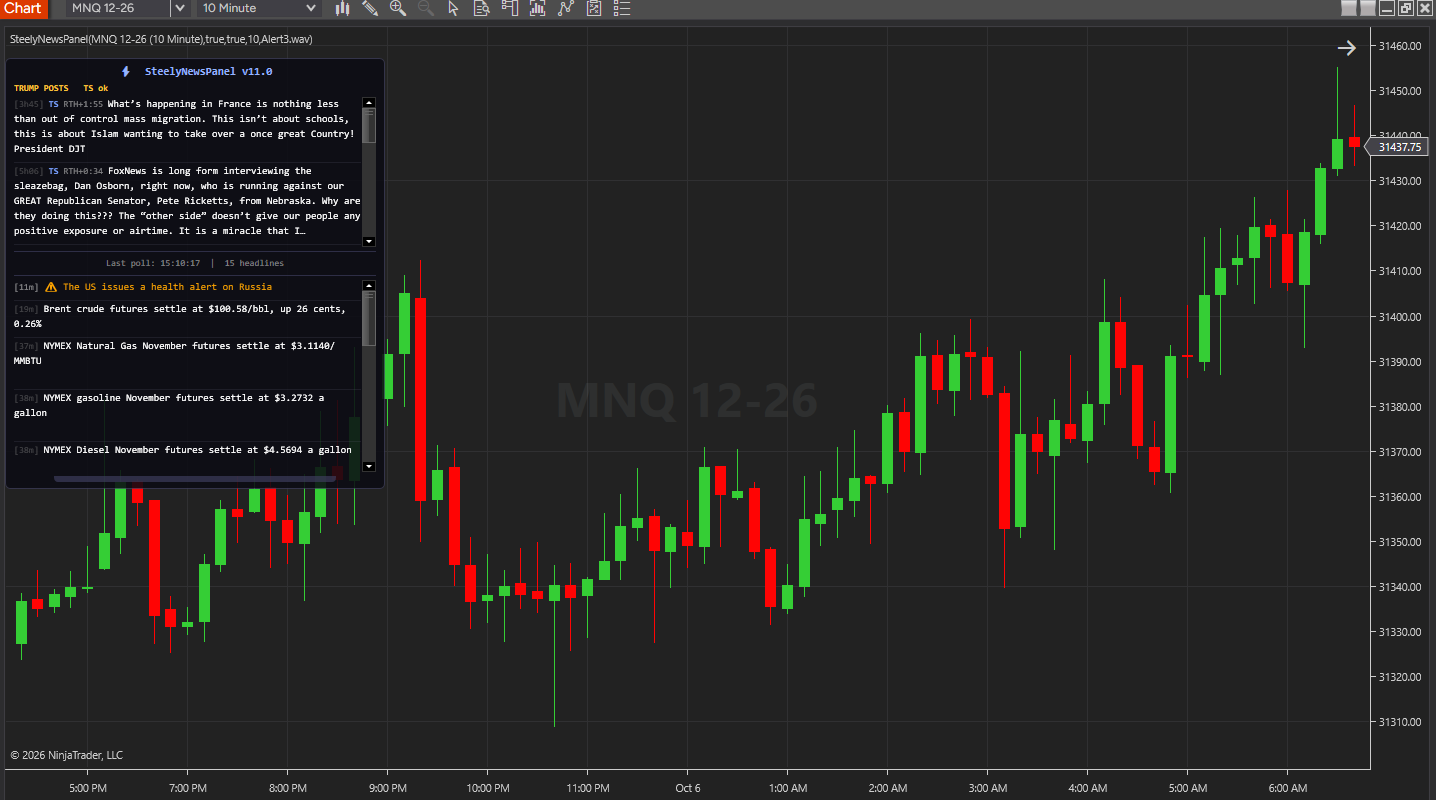
SteelyNewsPanel is its successor and replaces the former paid SteelyFJNewsPanel. It keeps the same FinancialJuice headline panel and adds the Trump Live banner and the Trump Posts list. If you have a question about an existing SteelyFJNewsPanel license, get in touch.
What do I need to run SteelyNewsPanel?
NinjaTrader 8, version 8.1.x, on Windows, internet access, and a chart with data from a live or sim connection. FinancialJuice headlines and Truth Social posts come from free public feeds — no key, no subscription. The live banner needs your own free YouTube Data API key; X posts are optional and need your own pay-per-use X API token. No other SteelySystems indicator is required.
How do I set up the YouTube API key for the live banner?
Create a free YouTube Data API v3 key in Google Cloud Console (APIs & Services → Credentials) and paste it into the YouTube API Key setting, with Enable Trump Live on. That setting is saved with the workspace and in chart templates, so clear it before sharing a template. Left blank, the panel uses the youtube_api_key= line of Documents\NinjaTrader 8\SteelyLabs\keys.txt, which it creates on first run. With the default settings one channel uses about 4,700 of YouTube's 10,000 free daily quota units, and the check is shared by every chart. Without a key the banner reads “Live detect off”; headlines and posts work as normal, and you can turn Trump Live or Trump Posts off in the settings.
How quickly do headlines and posts show up?
FinancialJuice is checked every 60 seconds; if the feed rate-limits, the panel backs off for up to 5 minutes and keeps the cached headlines on screen. Truth Social posts come through the trumpstruth.org archive, which lags the original posts by a few minutes, and are checked every 60 seconds by default. Delivery depends on each source and is not guaranteed to be immediate.
How is it delivered and installed?
The free license runs through Whop; your license key and the download appear at whop.com/steelysystems, normally within minutes. Import the file in NinjaTrader 8 via Tools → Import NinjaScript Add-On, enter the key, and add the indicator to a chart. Email install support is included.
How many machines can I use it on?
The license is per user. Install it on any desktop, laptop or VPS that you personally use for your own trading. Sharing the key or the files is not permitted — see the License Agreement.
Does SteelyNewsPanel tell me when to trade?
No. It displays headlines, posts and stream status as their sources publish them, with no commentary from SteelySystems. Keyword highlighting is a simple word match, not an interpretation, and it is not a trade instruction. The decision, the risk and the outcome are yours. Read the full disclosure before use.
Do you use AI?
Yes, heavily, and on purpose. We use leading AI models and our own custom AI tooling in modeling, analysis and development, including the research behind the DI Briefs and Helix. AI doesn't generate trade signals and doesn't place trades. The indicators run rules we designed and can show on your chart. Everything is tested in simulation and in our own trading before it ships.